Dec 31, 2010 | DIY
Project in progress.
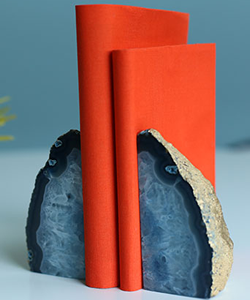
Whew! The holidays are going by FAST and it’s time for another DIY Roundup! I was hoping I’d have a project to share with you, but alas…hopefully it’ll be done by tomorrow. (There’s a little teaser for you above.:-) After Christmas = Procrastination for me! How about you? Have you made anything you’d like to share in the past weeks? If so, please add it to DIY Roundup 9!
So now you get to share your own DIY’s! If you have a DIY project or tutorial that you’d like to share, please feel free to link below! (However you can only link YOUR OWN PROJECT. Please do not link others’ projects!)
If you’ve linked up your project to the Roundup, feel free to grab the button below.
Can’t wait to see everyone’s projects!
xoxox
Carly
~If you liked this post, please share it!~
Leave Comment
Dec 31, 2010 | By Carly J. Cais
Speaking of Etsy…
A few people have asked me about offering my faux fur tails in different colors, so I’ve spent the last several days making up new ones, in two BRAND NEW colors I just received in the mail. One is a “fox”-like color: cream with orange-tipped fur. The other is a “raccoon”-like color: tan with brown-tipped fur and stripes. (see above)
I also have a one-of-a-kind dip-dye pink-to-white tail (purely accidental, since I was trying to dye the tip black) that I posted for sale.
I’ve also added a couple of “puffball” charms if you prefer something smaller and not so “tail”-like.
I’d love to hear your feedback!
xoxox
Carly
~If you liked this post, please share it!~
Leave Comment
Dec 30, 2010 | DIY, Life
Thanks so much for submitting your projects into my last DIY Roundup! I had a great time visiting all your blogs and checking out your pieces. You’re all so creative! Here are the top 3 projects:
From Samantha over at Dollar Store Crafts, this woven rope necklace looks so high fashion! (And it’s made from two jumpropes – can you believe it???) I’m dying to make one of my own!!
Sarah from Simply Step Back made a beautiful stretchy jersey scarf (from her mom’s old tee) with a pretty fabric corsage as a bonus. Just in time for the cold winter months – and I love the stripes!
Stacie from Stars for Streetlights gave a pair of boots a new life by gluing scrap leather circles over them. You’d never know that she didn’t buy them like that – so boho chic!
Thank you so much for sharing everyone!
If your project has been featured above, feel free to grab the button below.
xoxox
Carly
~If you liked this post, please share it!~
Leave Comment
Dec 29, 2010 | Media
[youtube]AVmq9dq6Nsg[/youtube]
I never knew what Portland, OR was like until I moved here. See for yourself above…
This video had me cracking up.:-D It’s a pretty accurate portrayal of Portland…though that’s not a bad thing! (I really like living here, maybe because I missed the first half of the American 90’s experience since I was living in Japan.)
Now I have this song stuck in my head!!
xoxox
Carly
~If you liked this post, please share it!~
Leave Comment
Dec 28, 2010 | Fashion
I was so impressed with this innovation that I had to share with all of you.
I never thought I would see the day that one could try on clothing “virtually”…but it’s here.
Miss Selfridge has implemented an online application where you can snap a photo of yourself and overlay their clothing onto your photo…all on their website platform. (Up until now this was more than possible if you felt like messing about in Photoshop or some other graphic-editing program [i.e., taking a photo of yourself, then downloading product photos from your favorite online store and layering the items over your body in the program]. But to have this functionality self-hosted on a clothing e-tailer’s site, especially one as big as Miss Selfridge, is huge. I hope other sites jump on this bandwagon stat!)

You need to first wear a neutral-colored, tight-fitting sheath. You position your computer’s camera device so that you are about 3 steps away from it, and align the dress that appears onscreen with your body. Using the touch-sensitive virtual buttons that appear to be suspended in midair on your screen, you resize the dress so it fits the lines of your body, and then choose the camera button, which snaps a photo that you can then share on Facebook.
Pros:
Fun! It’s really neat to see how a piece of clothing will look on you before you actually buy it, and once you get the hang of it, it’s quick to try different pieces out. Saves the hassle of putting on and taking off clothes entirely. Plus, it helps with the decision-making…for instance, that beige dress I tried on above I really didn’t like until I tried it on…and now, I’m more inclined to get it since I thought it surprisingly flattering for my body type.
Cons:
1.) Doesn’t work in Firefox (I have the latest version). I had to use Safari as my browser to allow the application to work.
2.) The Resize and Camera (“take a photo) buttons have an extremely tiny area of sensitivity. You have to fumble about in midair for awhile until buttons respond – and sometimes they don’t at all. I found that I could get the buttons to respond only by moving super-close to my camera and trying to “touch” the buttons with my head. Only then would they respond and I had to rush back to the exact spot where the dress was aligned in time for the photo to be snapped. AND, you can’t use the mouse to click on the buttons when they don’t respond to touch. MAJOR programming drawback.
3.) Building off 2.), the application takes photos too quickly. I had trouble fitting my pose and the dress size correctly with only a 3-second countdown.
4.) You can’t take a photo to share on email, or save on your computer, or in an online MissSelfridge.com account. You can only post them on your Facebook profile, and the photos that you can post end up SUPER-TINY. In order to share the above with you, I had to take a screenshot (of the photo of me wearing the dresses, that for some reason the application tilts, shrinks, and adds a polaroid-style border to – MOST ANNOYING). Thus, you only have small photos of my 20-minute try-on session to look at.
5) I noticed at least one of the dresses was a different version when you go to buy it – the peacock-print caftan does not have a cut-out shoulder in the version that’s available on the MissSelfridge.com site. Consistency, please!
6) You can’t try on separates. Forget about creating whole outfits…and the dresses you can try on are just a tiny fraction of all the pieces they offer for sale online anyway.
7) Unless you have really good lighting, your photos will be really dark and grainy. The more neutral the background, the easier to see as well.
You may or may not have seen this already, but Wieden + Kennedy Tokyo’s ad for Google search employs a similar technique…though not necessarily usable unless you have a projector.
If you have a spare 15-20 minutes to play around, this is a super-fun way to spend it! (I just hope they address some of the technology issues and add more clothing pieces to “try on” soon!)
xoxox
Carly
~If you liked this post, please share it!~
Leave Comment